
Quick Fix
If you see a Windows black screen after login with only the mouse cursor visible:
- Press Ctrl + Alt + Delete
- Open Task Manager
- Click File → Run new task
- Type explorer.exe and press Enter
Windows Black Screen After Login (Explorer.exe Fix)
A Windows black screen after login may appear immediately after signing in.
Usually, the mouse cursor is visible, but the desktop, taskbar, and Start menu are missing.
In most cases, this happens because Windows Explorer (explorer.exe) failed to start.
Common Symptoms
- Black screen appears after login
- Mouse cursor works normally
- No desktop icons or taskbar
- Ctrl + Alt + Delete still responds
How to Fix Windows Black Screen After Login
Step 1 — Open Task Manager
- Press Ctrl + Alt + Delete
- Select Task Manager
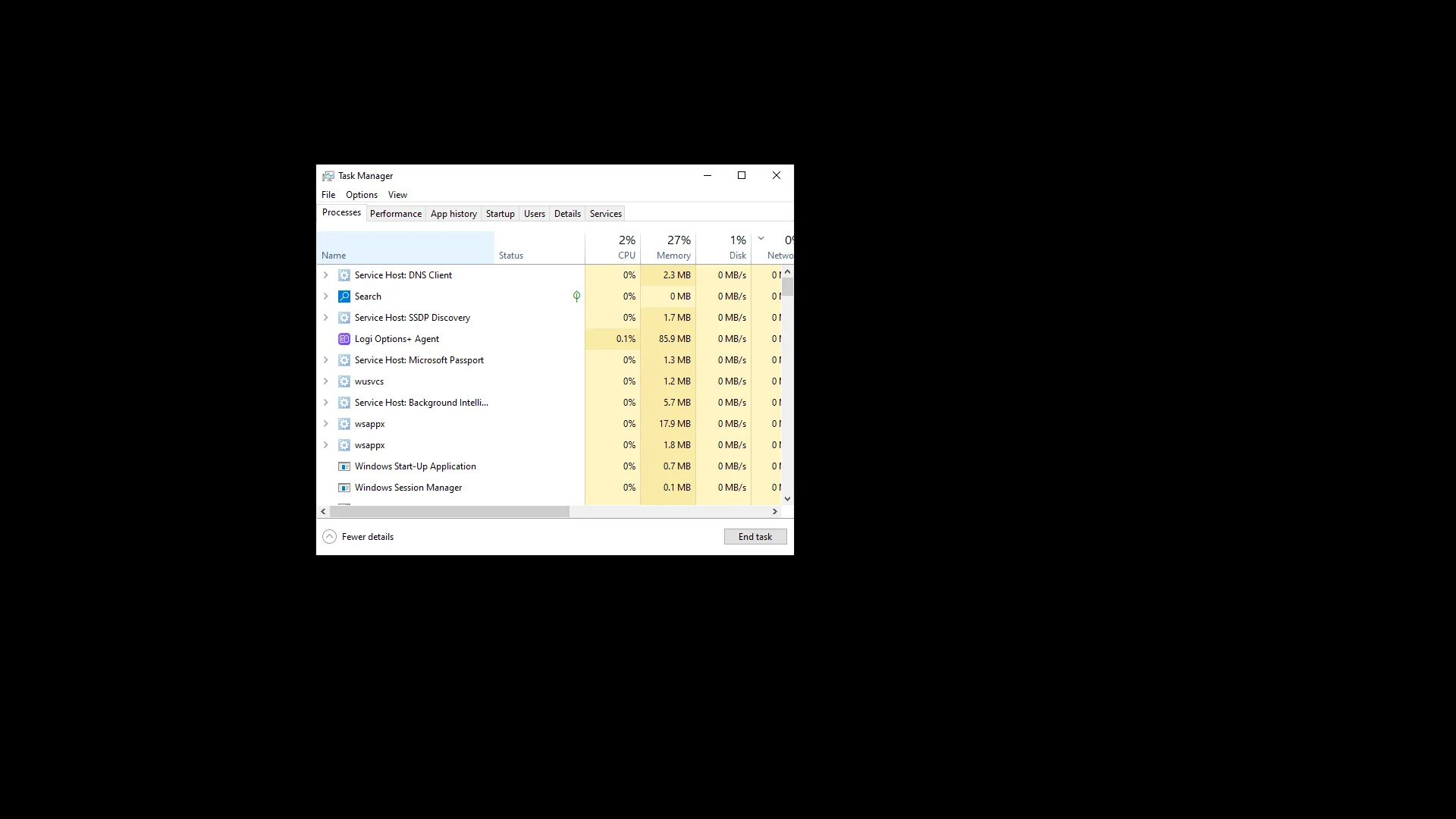
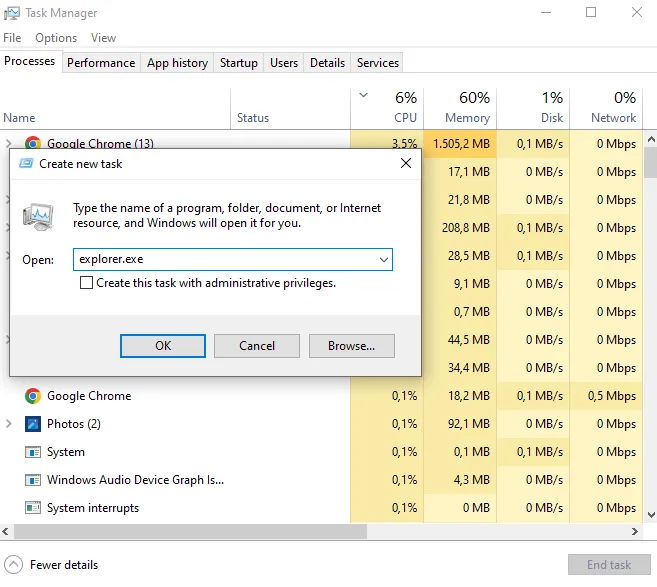
Step 2 — Run explorer.exe
- Click File
- Select Run new task
- Type explorer.exe and press Enter
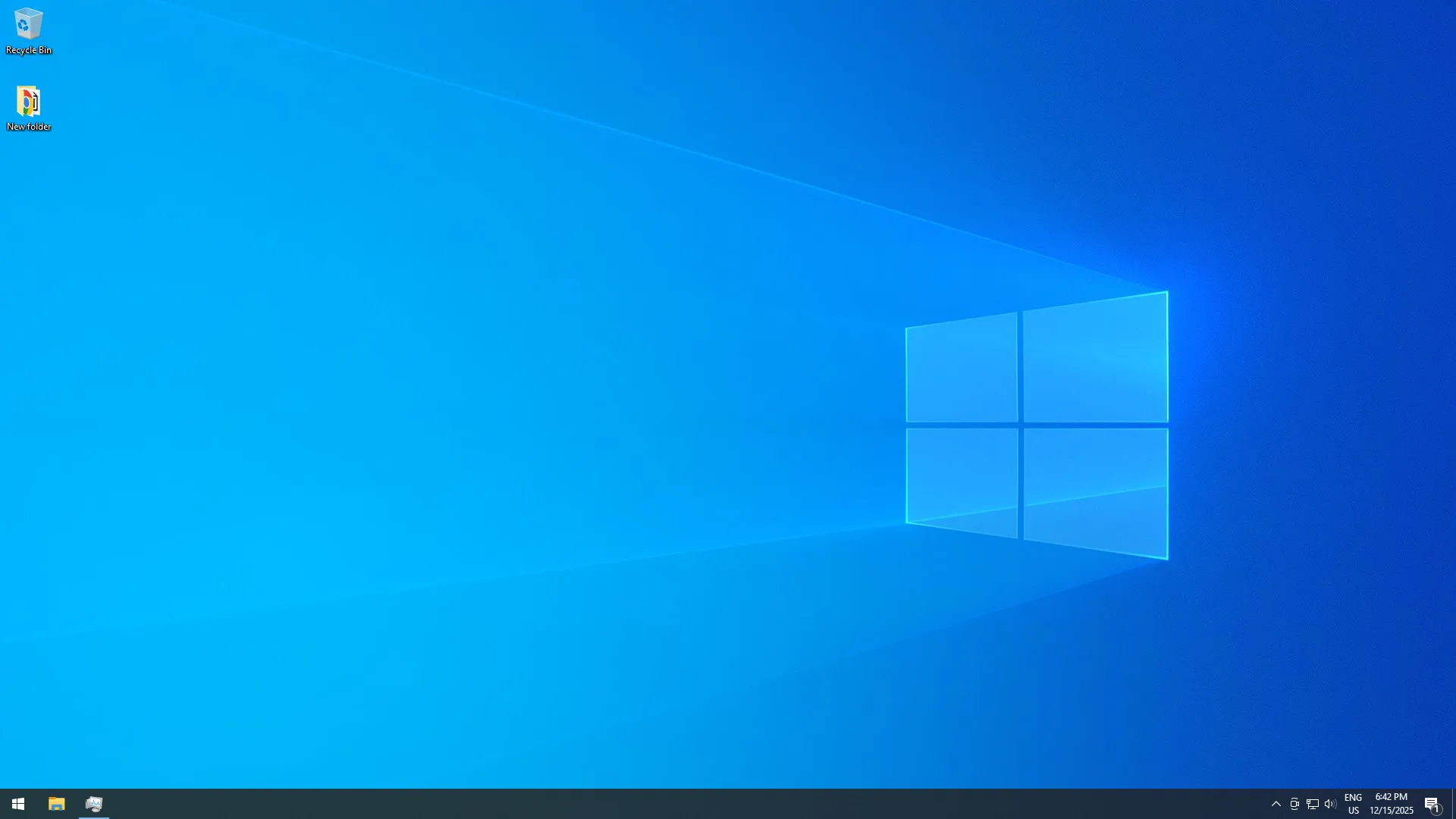
After running explorer.exe, the desktop and taskbar should immediately return.
Why This Happens
Explorer.exe controls the Windows desktop shell.
If it crashes during login, Windows loads in the background but cannot display the user interface.
As a result, you see a black screen even though the system is technically running.
What If the Problem Keeps Coming Back?
- Disable unnecessary startup apps
- Update or reinstall display drivers
- Run
sfc /scannowas administrator - Check Event Viewer for repeated explorer.exe errors
Recurring issues often indicate driver conflicts, corrupted system files, or problematic startup software.
Frequently Asked Questions
Is restarting explorer.exe safe?
Yes. Explorer.exe is the Windows shell process. Restarting it is safe and commonly recommended.
Will this delete my files?
No. Restarting explorer.exe does not affect personal files or applications.
What if Task Manager does not open?
Try booting into Safe Mode and running system checks.
External Sources
- Microsoft Q&A — Restarting explorer.exe via Task Manager
- TechTarget — Steps to fix a black screen in Windows
